
AI Receptionist for Your Dental Office: The Office Manager’s Rollout Checklist
A vendor-neutral AI receptionist checklist for dental office managers: vendor questions, training, patient notice, a pilot and what to track.

The short answer: An AI receptionist can take routine calls like new patient scheduling and confirmations, but the office manager decides how it works. Get a signed BAA, confirm it books into your PMS and routes urgent calls to a person, train it on your real calls, tell patients before go-live, and track the results monthly.
What an AI Receptionist Does (and What Stays With Your Team)
I’ve sat at a front desk where the phone never stopped and a patient was waiting to check out. That is when calls go to voicemail, and that is usually why an office starts looking at an AI receptionist.
Free guide
ChatGPT and HIPAA at the Front Desk
What counts as PHI, what never goes into an unapproved AI account and why removing a name is not enough. Free guide.
Get the free guideThis is a rollout checklist you can run yourself: what to ask vendors, how to train it, how to tell patients, and what to track after it goes live.
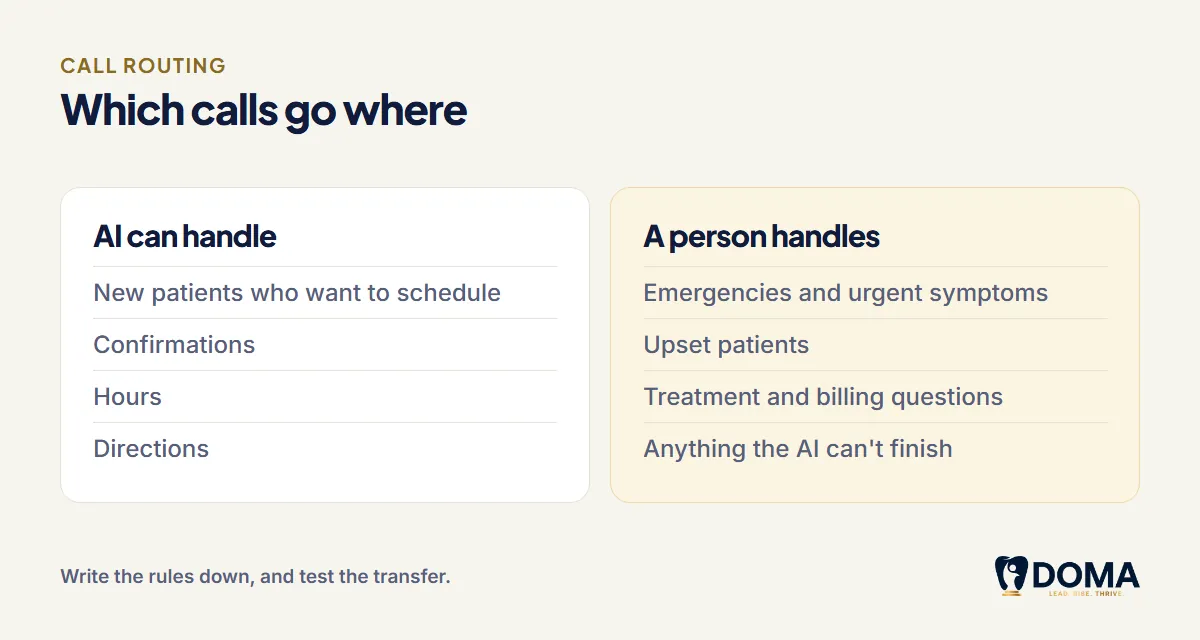
An AI receptionist answers the practice phone and can handle routine calls so your team can stay with the patients in front of them. Typical examples are a new patient who wants to schedule, a confirmation, hours, and directions.
What should still go to a person: emergencies and urgent symptoms, upset patients, treatment questions, billing questions, and anything the AI cannot finish. The tool supports the front desk. It does not replace the relationships your team already has.
If you are still deciding where AI belongs in the office at all, start with our guide to AI implementation in dental practices. Website chat is a different tool. See AI chatbots in dental offices. This page is about phone calls.
Is It Right for Your Office?
It may be worth a serious look if calls regularly go to voicemail, one person is covering check-in, checkout, and the phones at the same time, or after-hours calls disappear into a Monday message pile.
It is not automatically the next purchase because a vendor said it answers every call. The worth shows up after a pilot, when you can see bookings, transfers, hang-ups, and how patients respond.
Questions to Ask Every Vendor
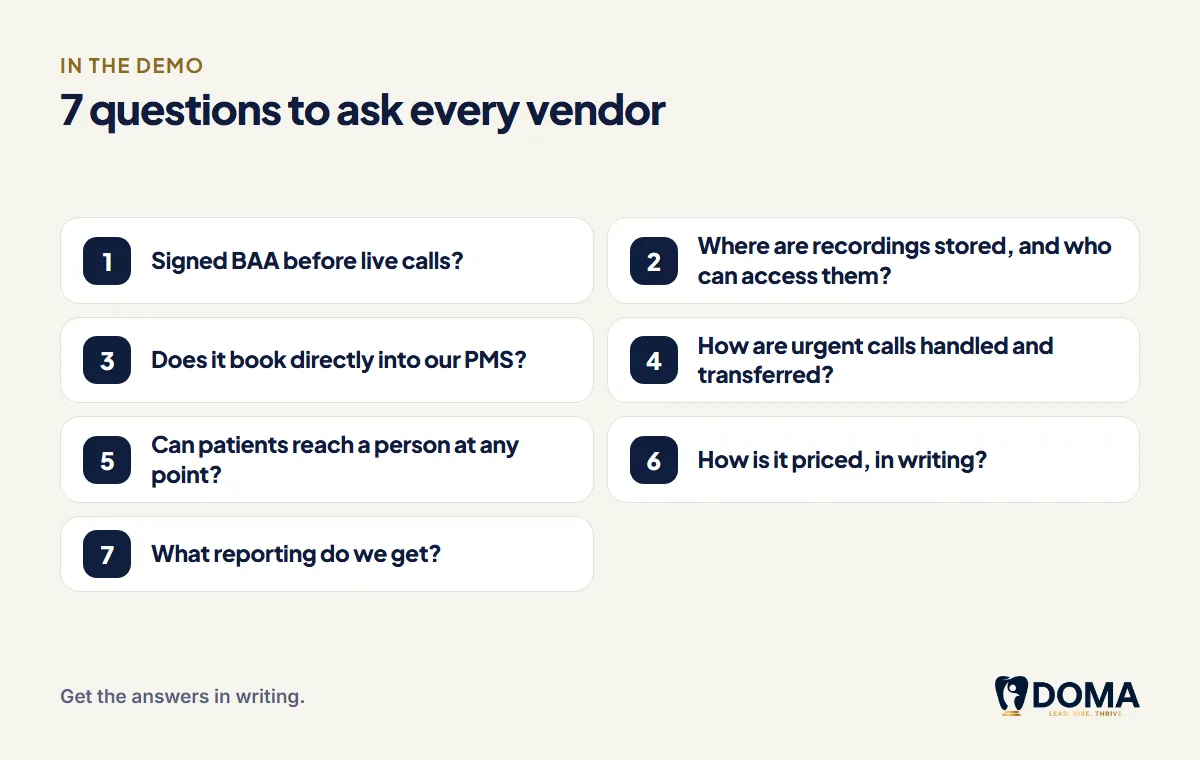
Ask these in the demo, and get the answers in writing.
| Ask this | Why it matters | What a good answer looks like |
|---|---|---|
| Will you sign a business associate agreement (BAA)? | Calls include patient information | A signed BAA before any live calls, not a promise to send one later |
| Where are call recordings and transcripts stored, for how long, and who can access them? | You need to know who can hear your patients | A clear written answer on storage, retention, access, and whether the data is used to train models |
| Does it book directly into our practice management software, and do notes or transcripts write back to the chart? | A message you have to retype is not a booking | A live demo in your software, not a slide |
| How does it handle emergencies and urgent calls? How fast does it transfer to a person, and what if no one picks up? | An urgent call cannot sit in a transcript overnight | A written routing rule and a fallback if the transfer fails |
| Can patients reach a person at any point? | Trust fades if a caller feels trapped with a bot | A clear, early option to reach your team |
| How is it priced (per location, per minute, per call, setup fee, contract length)? | The real cost is in the details | Pricing in writing |
| What reporting do we get (calls handled, transfers, bookings, abandoned calls)? | You cannot manage what you cannot see | Those numbers, at a minimum, in a report you can pull |
HIPAA and call recording
An AI receptionist that answers your phones will hear patient information. That is why the first question is the BAA, not the voice quality. HHS guidance on business associates explains that a covered entity may disclose protected health information to a business associate when it has satisfactory assurances in a business associate agreement.
A signed BAA does not make your office HIPAA compliant. You still have duties: who can listen to recordings, how long they are kept, how you remove identifying information from any calls you use for training, and how you tell patients a call may be recorded.
This is not legal advice. HIPAA, call-recording consent and patient-notice rules vary. Check your state and your BAA.
Our post on ChatGPT and HIPAA-compliant dental AI covers the broader tool question. Keep this conversation focused on the vendor in front of you.
Free guide
ChatGPT and HIPAA at the Front Desk
What counts as PHI, what never goes into an unapproved AI account and why removing a name is not enough. Free guide.
Get the free guideTrain It on Your Real Calls
The best training material is already in your phone system: your real calls. Sydney Robinson, who helps practices roll these systems out, recommends pulling at least 10 recorded calls of each type: new patients, existing patients who want to schedule, billing questions, and any specialty or miscellaneous calls you get. That is her guidance, shared in a November 13, 2026 Front Office Academy post. Use it as a starting point, not a rule you have to copy.
Remove every piece of patient identifying information before anyone reviews those recordings or transcripts, and before you paste anything into a general AI tool.
Then sit down with the doctor, the office manager, and a lead assistant and agree on the right answer for each common question. This is where you catch the gaps, like a service listed on the website that the office does not actually schedule. Write those answers down. That packet is what you train the AI on, and it also becomes phone training for new hires.
When the AI hands a call to a person, your team still needs strong phone skills. Our guides to dental phone skills and the new patient phone call intake form are there for those handoffs.
Tell Patients Before It Goes Live
Patients should hear about this from you first, not from a voice they did not expect. Before go-live, send a short text or email. Give the assistant a friendly name. Have it say it is your office’s AI assistant. Offer a clear way to reach a person.
Here is a sample patient text you can adapt. It is a hypothetical example, not a required script:
“Hi, this is [Practice Name]. Starting [date], some of our routine calls will be answered by [Name], our office’s AI assistant. It can help with scheduling and confirmations, and you can ask to speak with a person on our team at any time.”
Keep the same message at the start of the call.
Get the Team on Board
When you pitch a new phone tool, some team members will hear “this is going to replace you.” Say the why out loud: the desk is covering too many calls at once, or after-hours messages are piling up. Make it clear that people still answer the phones, and that patient relationships stay with the team.
Name who reviews the AI’s work, and how often. Sydney Robinson’s rule of thumb is that a tool like this should get you about 75 to 80 percent of the way there, with someone on your team reviewing the rest. That is her experience, not a standard I would ask every office to copy. The point stands either way: someone has to listen.
If you want a longer conversation about AI and the manager’s role, read Will AI replace dental office managers?.
Run a Pilot
Do not turn it on for every call on day one.
Start with one slice: after-hours only, or one call type, such as new-patient scheduling. Set a review window. A 30-day pilot is one option an office might choose. It is not a standard. Review transcripts every week with the named owner, and write down what you will change: the answers, the transfer rules, or the call types it is allowed to handle.
If the bookings in your practice management software do not match what the vendor dashboard shows, stop and fix that before you widen the pilot. For more on AI and the schedule itself, see AI in dental scheduling.
What to Track After Go-Live
You do not need a vendor’s success story. You need a short list you can pull every month. Use the same definitions each time. I am not giving target percentages, because I have not seen association benchmarks I would ask every office to copy.
| Number | How to calculate it | What you are watching |
|---|---|---|
| Calls answered by the AI | Count of calls the AI picked up in the period | Volume it actually handled |
| Calls transferred to a person | Transfers divided by calls the AI picked up, times 100 | Whether your routing rules match real calls |
| Appointments booked by the AI | Count of appointments the AI wrote into the schedule, confirmed in your practice management software | Whether it is finishing the job, not just answering |
| Abandoned or hang-up calls | Calls that ended before a booking, a transfer, or a completed request, divided by calls the AI picked up, times 100 | Friction on the call |
| Patient complaints about the AI | Count of complaints in the period, with a short note on what happened | Trust, not just volume |
| Front-desk time freed | An estimate: average minutes your team spends on that call type, times the calls the AI completed without a transfer, divided by 60 | A directional number only. Label it as an estimate. |
Free guide
The Front Desk Is Busy. But Is It Productive?
Before you add a phone tool, see where the front desk’s time goes. Free guide.
Get the free guideKeep the Personal Touch
If more first conversations happen with an AI assistant, put extra care into the moments that are still yours. A short pre-visit call or text to a new patient, and greeting them by name when they walk in, go a long way. Keep it simple enough that a busy Tuesday can still hold it.
Printable AI Receptionist Rollout Checklist
Print this, assign an owner, and use it from the first vendor call through the first monthly review.
Vendor questions
- ☐ Will you sign a business associate agreement (BAA) before any live calls?
- ☐ Where are recordings and transcripts stored, for how long, and who can access them?
- ☐ Does it book directly into our practice management software, and do notes or transcripts write back to the chart?
- ☐ How does it handle emergencies and urgent calls, how fast does it transfer to a person, and what happens if no one picks up?
- ☐ Can a patient reach a person at any point?
- ☐ How is it priced, in writing (per location, per minute, per call, setup fee, and contract length)?
- ☐ What reporting do we get for calls handled, transfers, bookings, and abandoned calls?
Training, notice, and the team
- ☐ Pull recorded calls by type, and remove patient identifying information first.
- ☐ Agree on the right answer for each common question with the doctor, the office manager, and a lead assistant.
- ☐ Send patients a short notice before go-live, give the assistant a friendly name, have it say it is AI, and offer a path to a person.
- ☐ Tell the team why you are adding it, make clear that people still answer the phones, and name who reviews the AI’s work.
Pilot and metrics
- ☐ Start with one call type or after-hours only, and set a written review window (for example, 30 days, as an office choice).
- ☐ Review transcripts weekly and write down what you will change.
- ☐ Each month, track calls answered by the AI, transfers, appointments booked, abandoned calls, patient complaints, and an estimate of front-desk time freed.
- ☐ Confirm AI bookings in your practice management software before you widen the rollout.
Several DOMA partners offer phone systems with AI receptionist features. See member offers. DOMA partner. DOMA may receive compensation, offer details are set by the partner.
Frequently Asked Questions
Is an AI receptionist worth it for a dental office?
It can be, when calls regularly go to voicemail, one person is covering the desk and the phones, or after-hours calls are getting lost. The value shows up after a pilot, not in a sales demo. Vet the vendor, train it on your real calls, tell patients first, and track bookings, transfers, hang-ups, and complaints each month.
Is an AI receptionist HIPAA compliant?
It depends on the vendor and the agreement, not on the word “AI.” Ask whether they will sign a business associate agreement, and where recordings and transcripts are stored. A signed BAA does not make your practice HIPAA compliant. You still have duties, including training-data cleanup and call-recording notice. Check your state and your BAA.
Can an AI receptionist book appointments in my practice management software?
Some can, but it depends on the vendor and your software. Ask whether it books directly into your practice management system and whether notes or transcripts write back to the chart. Confirm it in a live demo in your software, and get that answer in writing before you sign.
What calls should still go to a person?
Emergencies and urgent symptoms, upset patients, treatment questions, billing questions, and anything the AI cannot finish should go to a person. Patients should also be able to reach a team member at any point in the call. Write those routing rules down, and test what happens if no one picks up the transfer.
How do I tell patients we use an AI receptionist?
Tell them before go-live with a short text or email. Give the assistant a friendly name, have it say it is your office’s AI assistant, and offer a clear way to reach a person. Patients who hear about it from you first are less likely to feel surprised on the first call.
Keep Going
If you want a structured way to learn how to use AI in the front office, see The Dental AI Standard, DOMA’s course for dental office managers.
Ask 27,000+ managers what AI phone tool they use in the free Dental Office Managers Community on Facebook.
This article is front-office workflow, not legal advice. HIPAA, call-recording consent and patient-notice rules vary. Check your state and your BAA.
Sources: U.S. Department of Health and Human Services, “Business Associates Frequently Asked Questions (FAQs),” on hhs.gov. Training-call volume and the 75 to 80 percent rule of thumb are from Sydney Robinson, as shared in Front Office Academy, “AI Receptionist for Dental Office: How Do You Set One Up Without Losing the Personal Touch,” November 13, 2026.
Free guide
ChatGPT and HIPAA at the Front Desk
What counts as PHI, what never goes into an unapproved AI account and why removing a name is not enough. Free guide.
Get the free guideDOMA community
Anyone using an AI receptionist yet?
Ask 27,000+ dental office managers what calls they let it handle in the Dental Office Managers Community.
Join the communityFree for dental office managers
Get the Free Starter Kit
4 ebooks and 2 course previews from Kyle Summerford, plus free membership and a combined DOMA audience of 50,000+ dental professionals. No credit card.


